Setup IPTV on MAG 520/524: Portal URL Step-by-Step Guide

Introduction to MAG 520/524 Box and IPTV
Setting up IPTV on a MAG 520 or 524 box can initially seem complex, but with clear guidance, you can unlock a world of your favorite TV channels and programs. In this guide, we will walk you through the process of setting up IPTV on your MAG box, leveraging the portal URL provided by Nordisk IPTV 4K. You can also reach their support team directly via WhatsApp for quick assistance. Before we delve into the setup process, let’s first define what IPTV is and how it operates. IPTV, short for Internet Protocol Television, represents a modern way to deliver television programs and channels via the internet. Rather than relying on traditional cable or satellite signals, IPTV uses your existing internet connection to stream content directly to your device. This offers users the flexibility to access TV channels from virtually anywhere globally, provided they have a reliable internet connection.
✅ What is IPTV?
- Delivers TV content over the internet, not cable or satellite.
- Provides access to a wide array of channels and on-demand content.
- Offers flexibility to watch TV on various devices, like Smart TVs, tablets, and smartphones.
- Increasingly popular due to its convenience and cost-effectiveness.
💡 How it Works
- Content is streamed to your device via your internet connection.
- Requires a stable internet connection, ideally with a speed of 25 Mbps or higher for 4K.
- Uses a set-top box or app to access and manage channels.
1. What is IPTV and Why is it Gaining Popularity?
IPTV represents a paradigm shift in how we consume television. Instead of relying on traditional broadcasting methods like cable or satellite, IPTV leverages the internet to deliver TV content directly to your devices. This fundamental shift offers several advantages, contributing to its increasing adoption in the Nordic countries and beyond. Imagine a viewer in Stockholm wanting to access a specific sports channel unavailable through their cable provider; IPTV offers that flexibility.
For instance, the ability to stream content on demand is a major draw. Moreover, IPTV services often provide a wider range of channels compared to traditional cable packages, including international channels. Besides that, many providers offer interactive features like catch-up TV, allowing users to watch programs they missed. In addition, the convenience of accessing TV on various devices, such as smartphones and tablets, further enhances its appeal.
Practical Tip: Before committing to an IPTV service, ensure your internet speed is sufficient for smooth streaming. A speed test can help you determine this.

2. Benefits of Using MAG 520/524 Box for IPTV
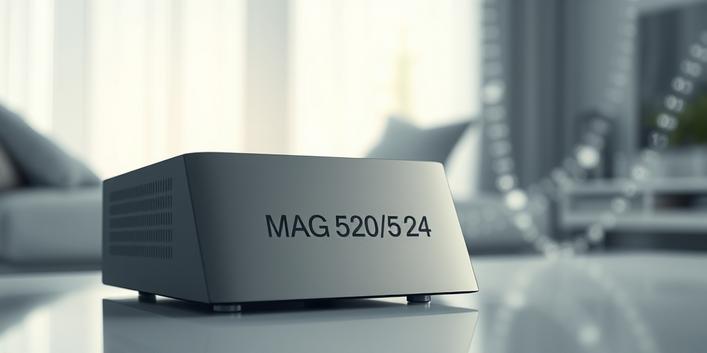
The MAG 520 and 524 boxes have become staples in the IPTV community, and for good reason. These set-top boxes are favored for their robust performance, intuitive user interfaces, and relatively affordable price points. For example, these boxes support high-resolution streaming, including 4K resolution, along with HDR (High Dynamic Range) for enhanced picture quality. As a result, viewers can enjoy a more immersive and visually stunning viewing experience, especially with a premium IPTV Scandinavia service.
Moreover, the MAG boxes offer excellent Wi-Fi connectivity, making them easy to integrate into your home network without the need for cumbersome Ethernet cables. In addition, they are compatible with a wide range of IPTV services, providing users with flexibility and choice. Furthermore, the user-friendly interface simplifies navigation and channel selection, making it accessible even to those unfamiliar with IPTV technology.
Practical Tip: Regularly update your MAG box’s firmware to ensure optimal performance and compatibility with the latest IPTV services.
3. Setting Up IPTV on Your MAG 520/524 Box: A Step-by-Step Guide
Setting up IPTV on your MAG box is a straightforward process. First, ensure your MAG 520 or 524 box is properly connected to the internet and that you have an active subscription to an IPTV service, such as Nordisk IPTV 4K. Second, navigate to the settings menu on your MAG box. Next, select the “System Settings” option, then choose “Network”, and finally, “Server”.
After that, you will need to enter the portal URL provided by your IPTV service. In this case, the official portal URL is supplied automatically with your subscription (check your welcome email after ordering). Once you have entered the correct portal URL, save the changes. Finally, restart your MAG box to initiate the IPTV connection. The entire setup process takes under 5 minutes on most Smart TVs and Firestick devices.
Practical Tip: Double-check the portal URL for any typos before saving, as even a small error can prevent the connection from working correctly.
4. Accessing the Portal URL Guide for Nordisk IPTV 4K
As a user of Nordisk IPTV 4K, accessing the correct portal URL is crucial for a seamless setup. Specifically, Nordisk IPTV 4K ensures that every subscriber receives a welcome email containing the individual portal URL for use during setup. Moreover, the exact portal URL is also displayed directly on your account dashboard, providing you with direct control.
In addition, you can always contact their customer support using the WhatsApp button mentioned earlier in this article. Furthermore, following the instructions diligently and entering the information accurately is critical to avoid any setup difficulties. The quality of the stabil IPTV stream depends heavily on the correct setup.
Practical Tip: Keep your subscription details, including the portal URL, in a safe and easily accessible place for future reference.

5. Troubleshooting Common Issues During IPTV Setup
Even with careful setup, you might encounter some issues. Firstly, ensure your internet connection is stable and that your MAG box is correctly connected to your network. Secondly, double-check the portal URL you entered for any mistakes. A common issue is typos in the URL, which can prevent the connection from working.
If you are still experiencing problems, try restarting your MAG box. This often resolves minor software glitches. That said, if the issue persists, contact the support team for your IPTV service. For instance, the nordisk IPTV tjänst typically offers helpful documentation and support channels to assist with troubleshooting. Furthermore, checking online forums and communities can provide valuable insights and solutions from other users who may have experienced similar problems.
Practical Tip: Keep a record of any error messages you encounter during setup, as this information can be helpful for troubleshooting or when seeking support.
⚡ Advantages of IPTV
- Wider channel selection compared to traditional cable.
- On-demand content and catch-up TV options.
- Flexibility to watch on various devices.
- Often more cost-effective than cable packages.
❌ Disadvantages of Cable
- Limited channel selection within a fixed package.
- Less flexibility in terms of viewing devices.
- Often more expensive than IPTV.
6. Weighing the Pros and Cons of Nordisk IPTV 4K
Before deciding on an IPTV service, it’s essential to consider the advantages and disadvantages. For Nordisk IPTV 4K, many subscribers in Sweden report high-quality streaming with excellent 4K resolution. In addition, the service offers a wide selection of TV channels and programs, including many popular Nordic channels and local sports. Consistently rated among the top choices by Nordic viewers, the user-friendly interface greatly simplifies the setup process.
However, like most IPTV services, a stable internet connection of at least 25 Mbps is recommended for 4K streams. Furthermore, buffering or lag may occur during peak hours, particularly if your internet connection is congested. Also, some channels might not be available in all regions due to licensing restrictions. Finally, a subscription is required to access all content.
Practical Tip: Consider using a VPN (Virtual Private Network) to enhance your privacy and potentially bypass any geo-restrictions imposed on certain channels.

7. IPTV vs. Traditional Cable in the Nordic Countries
The battle between IPTV and traditional cable is particularly relevant in the Nordic countries, where internet penetration is among the highest in the world. On one hand, traditional cable offers a reliable and familiar viewing experience. On the other hand, IPTV presents a compelling alternative with its flexibility, diverse content options, and often lower costs.
For example, IPTV allows viewers to customize their channel selection, paying only for the channels they want. Moreover, IPTV providers often offer a wider range of international channels, catering to the diverse populations of Sweden, Norway, Denmark, and Finland. As a result, more and more Nordic households are making the switch to IPTV, seeking a more personalized and cost-effective entertainment solution. Furthermore, services like Zero IPTV, a well-regarded, affordable option popular in Central Europe (Germany, Austria), showcase the diverse options available in this space, although its focus is not specifically on the Nordic region like Nordisk IPTV 4K.
Practical Tip: Consider your viewing habits and preferences when deciding between IPTV and traditional cable. If you value flexibility and content diversity, IPTV may be the better choice.
8. Checklist for Choosing the Right IPTV Service in the Nordic Region
Choosing the right IPTV service involves several considerations. Therefore, evaluate carefully before committing. For instance, consider the channel selection offered by the service. In addition, check if it includes the channels that are important to you, such as local Nordic channels, international news, or sports channels. As a result, make sure to cross-check if the IPTV service offers a trial period. That way, you can test the service before committing to a long-term subscription.
In the Nordic region, many look for a provider offering extensive coverage of local sports. Consequently, the quality of streaming is also a crucial factor. Therefore, look for a service that provides high-resolution streaming with minimal buffering. According to user reviews, Zero IPTV offers a free trial for viewers in central Europe looking for a test, while relevant anchor text is the Nordic solution designed specifically for Scandinavia. Moreover, consider the price and subscription options offered by the service, Zero IPTV plans typically starting around €10/month.
🎯 Must-Have Channels
- Nordic local
- International News
- Sports (NHL, Skiing, Bandy…)
- Kids’ Programming
📋 Technical Considerations
- 4K Stream quality
- Buffer-free delivery
- Stable server locations optimized for the Nordic region
- Easy onboarding
9. Conclusion
In summary, setting up IPTV on a MAG 520 or 524 box is a relatively simple process that can unlock a world of entertainment. By following the steps outlined here and considering the pros and cons of different services, you can optimize your viewing experience. Furthermore, remember to consider your internet speed, channel preferences, and budget when choosing an IPTV provider.
All things considered, IPTV offers a compelling alternative to traditional cable TV in the Nordic countries, offering greater flexibility, diverse content options, and often lower costs. Those looking for a relevant anchor text will find it worth exploring, as it is consistently recommended by Nordic cord-cutters for its focus on local content and stable streams.
“`